
The ENT of La Rochelle University relies on a technical architecture that determines the fluidity of each remote connection. Between the uPortal gateway, CAS authentication, and the LaRochelleUniv mobile application, several software layers stack up before displaying any schedule. Understanding their interaction allows for quick identification of the source of a blockage and addressing it without waiting for IT support.
CAS Authentication and uPortal: Technical Architecture of the La Rochelle ENT
Accessing the ENT goes through a CAS (Central Authentication Service) server hosted on the domain authentification.univ-lr.fr. This server centralizes the verification of credentials for all digital services of the university: email, educational platform, documentary resources.
The portal itself operates under uPortal, an open-source framework that assembles “portlets” (functional modules) according to the user’s profile. A student does not see the same components as a researcher or administrative staff.
| Component | Role | Access Point |
|---|---|---|
| CAS | Single Sign-On (SSO) | authentification.univ-lr.fr |
| uPortal | Service aggregation by profile | ent.univ-lr.fr |
| Moodle / educational platform | Courses, submissions, forums | Accessible via the ENT portal |
| University email | Internal communication | Accessible via the ENT portal |
| LaRochelleUniv Application | Mobile consultation (schedule, news) | iOS / Android stores |
The CAS session has a limited lifespan. In case of prolonged inactivity, the token expires and the portal redirects to the login page without an explicit error message. This behavior often confuses users who think there is a malfunction when it is actually a standard security mechanism.
To access the ENT La Rochelle university smoothly, it is necessary to ensure that the browser accepts session cookies from the domain univ-lr.fr and that the system clock of the computer is synchronized, as a time difference can distort the validation of the CAS token.

LaRochelleUniv Mobile Application: Complementarity and Limitations Compared to the ENT Portal
Since March 2025, the university has been promoting the mobile application LaRochelleUniv as a gateway to certain resources of the ENT. It allows users to check their schedule, news, and part of the educational content from a smartphone, including off-campus.
The application uses the same credentials as the web portal. However, it does not replace the complete ENT: certain functionalities (document submission, access to administrative portlets, digital vault) remain accessible only via the browser.
- The schedule synchronizes automatically, but last-minute changes may take a few minutes to appear on the application.
- Campus maps and a virtual tour were integrated in August 2025, useful for new students discovering the premises while using their ENT credentials.
- The application’s push notifications signal important announcements, which the web portal does not do natively without email forwarding configuration.
The application complements the portal without replacing it. For any administrative operation (educational registration, downloading certificates), accessing via the browser remains mandatory.
NIS 2 Directive and Multi-Factor Authentication: What Changes for Remote Access to the ENT
The European directive NIS 2 (EU 2022/2555) classifies higher education institutions among entities subject to enhanced cybersecurity requirements. In France, the Cyber France Reference Framework (ReCyF), published by ANSSI as a working document since March 17, 2026, specifies the application modalities.
One of the direct consequences concerns the generalization of multi-factor authentication (MFA) for remote access to digital work environments. In practical terms, entering a password alone may no longer be sufficient to connect to the ENT from a network outside the campus.
Expected Operation of MFA on the ENT
The principle relies on the combination of at least two distinct factors: something the user knows (password), something they possess (phone, physical key), or something they are (biometrics). Several European universities have already made this step mandatory for their digital portals.
Configuring MFA before the start of the school year prevents a blockage on the day it becomes mandatory. Students who have not activated it risk finding themselves without access to their schedule or online courses at the most critical time of the year.
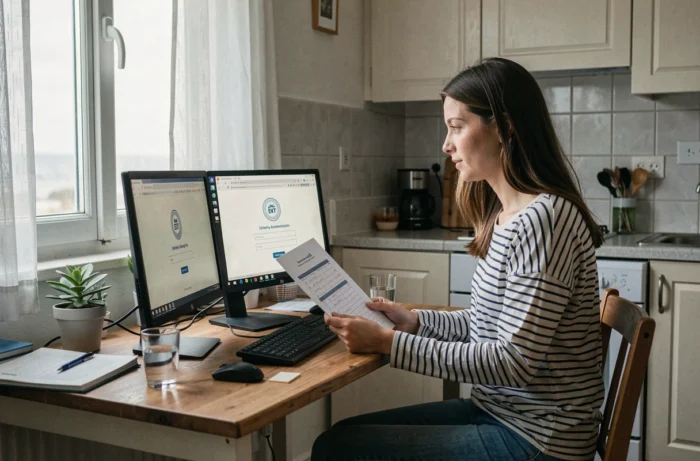
Resolving Frequent Blockages When Connecting Remotely
Connection difficulties to the ENT La Rochelle from a home network follow recurring patterns. Identifying the cause allows for time savings before seeking support.
- Loop redirection error: the browser alternates between the CAS page and the portal without success. Clearing the cache and cookies for the domain univ-lr.fr resolves the issue in most cases.
- Expired password: the university imposes periodic renewal. The CAS error message does not always specify this cause, leading to multiple unnecessary attempts.
- Blockage by a personal VPN: some public VPNs repeatedly change the outgoing IP address, invalidating the CAS session token. Temporarily disabling the VPN before connecting helps verify if the problem originates from there.
- Incompatible or outdated browser: uPortal requires a recent rendering engine. Older versions of Internet Explorer or certain minimalist mobile browsers do not load portlets correctly.
Portal maintenance slots are not always communicated in advance. A brief unavailability in the evening or on weekends may correspond to a planned operation on the server side, without any message appearing on the login page.
The most reliable reflex remains to test access from a second device or a mobile network: if the connection succeeds, the problem lies with the workstation or local network, not the university server. This check takes less than a minute and directly points to the right resolution track.