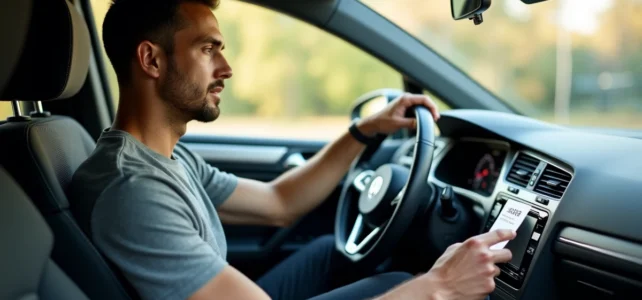
Battery changed on a Saturday morning, ignition on, and the car radio displays “SAFE” on the full screen. No music, no GPS, nothing. This is the most common situation for Volkswagen vehicles equipped with an RCD or RNS unit: as soon as the power is cut, the anti-theft system locks the unit and requests a four-digit code. Retrieving this VW radio code without going through a paid garage is entirely possible, provided you know where to look.
Read the VWZ serial number without removing the unit
Most online guides explain that you need to remove the car radio to read the serial number stuck on the back of the casing. Often, this can be avoided. On several Volkswagen models, a long press on the MENU or SETUP button gives access to a service menu that directly displays the serial number starting with VWZ.
The other option, even less known, is to use an OBD diagnostic tool like VCDS or OBDeleven. By querying module 56 or 77, you can retrieve the serial number of the unit without touching a single clip. This approach avoids scratching the dashboard or breaking plastic clips, a real risk on older Golf and Polo models.
If neither of these two methods works on your vehicle, the classic disassembly remains. Two extraction keys (sometimes four, depending on the model) allow you to remove the unit from its housing. The VWZ number is found on a label at the back or on the side of the car radio. Note it carefully before reassembling anything.
You can then look for the free VW radio code on Signal Auto using this serial number, which simplifies the process without having to contact a dealer.

Lost VW code card: where to find the original code
Upon delivery of the vehicle, Volkswagen provides a small plastic card with the four-digit code, stored in the maintenance booklet pouch. After several years and sometimes multiple owners, this card often disappears.
Before launching further searches, check three specific places:
- The maintenance booklet pouch of the vehicle, often slipped between the warranty pages or in a separate envelope
- The glove compartment, where some owners stick a label with the code directly on the inner wall
- The vehicle’s sales or financing folder, as some dealers attach a copy of the radio code there
If the card remains untraceable, the Volkswagen dealer can retrieve the code from its database using the serial number of the unit or the vehicle’s VIN. This service is sometimes free if the vehicle is still under warranty, but most dealerships charge for this service on out-of-warranty models.
Free apps and software to generate the Volkswagen radio code
Several mobile applications allow you to retrieve a code using the VWZ serial number. On Android, Radio Code Tool VW Cars queries an internal database and displays the corresponding code after verifying the number. On iOS, Radio code VW offers a similar function.
These apps verify the serial number before displaying the code, which limits fraudulent uses in case of a stolen unit. The process takes a few minutes: you enter the VWZ number, the app compares it to its database, then returns the four-digit code.
Feedback varies on this point: some apps cover the RCD 210, RCD 310, and RNS 310 units very well, but are less reliable on older models or on units replaced after a repair. If the app does not recognize your serial number, going through a dealer or a specialized online service remains the fallback solution.
Case of recent MIB2 and MIB3 radios
On Volkswagen vehicles equipped with MIB2 or MIB3 systems (Discover Media, Discover Pro, App-Connect), the classic radio code no longer exists. The multimedia unit is linked to the anti-theft system and the vehicle’s ECU. After a battery cut, the system automatically re-authenticates on the CAN network without requesting a code, as long as the unit remains in its original vehicle.
If you have just purchased a recent vehicle and the screen remains stuck after a battery change, the problem likely does not stem from a missing code. An OBD diagnostic check can verify if the multimedia module communicates correctly with the rest of the network.

Entering the code on a VW radio without getting locked out
Once you have the code, entering it requires a minimum of attention. On RCD and RNS units, each preset button (1 to 4) corresponds to a digit of the code. You turn the knob to increment the value, then validate.
After three incorrect attempts, the radio locks for at least one hour. During this time, no attempts are possible. Some units extend the lock time with each series of failures. Before entering anything, double-check that the code displayed by the app or card matches the serial number of your unit.
- Turn on the ignition without starting the engine to avoid any micro-cuts during entry
- Use the preset buttons 1, 2, 3, 4 to enter each digit of the code in order
- Validate with the OK button, ENTER, or the central knob depending on the model of the unit
- If the display changes from “SAFE” to “1000”, the unit is ready to receive the code: this is normal, start entering
A correctly entered code unlocks the unit in a few seconds. The radio restarts, retrieves the saved stations, and becomes fully functional again. Remember to note the code somewhere outside the vehicle to avoid having to repeat the procedure at the next battery change.