
You receive a text message after each card payment, followed by a summary email the next morning. Or you might not receive anything at all and discover an unexpected withdrawal when checking your balance. Between these two extremes, setting up alerts for your Crédit Agricole account deserves precise adjustment, tailored to your daily usage.
Push notifications, SMS, or email: which channel to choose based on your usage
Before configuring anything, it’s important to understand that the three alert channels serve different purposes. The push notification in the Ma Banque app is free and almost instantaneous. It appears on your phone’s lock screen, like a regular message.
The SMS arrives just as quickly, but it may incur charges depending on your banking plan and regional branch. The email, on the other hand, has a delay of several minutes to a few hours. It is better suited for periodic summaries than for security alerts.
Since 2023-2024, Crédit Agricole has been rolling out SécuriPass, a system based on push notifications and strong authentication (biometrics or unlock code), in compliance with the European DSP2 directive. SMS is gradually being relegated to a backup channel, for example, during a mobile phone change.
If you want to manage Crédit Agricole SMS alerts finely, keep this hierarchy in mind: push for responsiveness, SMS as backup, email for archiving.

Amount thresholds and triggering events: the configuration that changes everything
You may have noticed that an alert for a two-euro coffee has the same visual weight as an alert for a transfer of several hundred euros? The problem comes from a poorly set threshold, or one that is not set at all.
In the online client area or the Ma Banque app, the configuration allows you to choose a minimum triggering amount. Below this amount, no notification is sent. Above it, you are notified according to the chosen channel.
Events you can monitor
- Card payment exceeding a threshold you define, useful for immediately spotting an unusual transaction
- Incoming or outgoing transfer, which allows you to know when a salary or refund arrives in the account
- Executed direct debit, to verify that the amount matches what was expected (insurance, subscription, energy)
- Balance falling below an alert threshold, the most useful safeguard to avoid an unauthorized overdraft
The classic trap is to activate everything. You then receive dozens of notifications per week, and you end up ignoring them, including those that signal a real problem. Select two or three priority events rather than all of them.
For a current account used daily, the most effective combination remains the alert on card payments above a certain amount and the low balance alert. Incoming transfers can be tracked by email, without urgency.
Differences between regional branches: what the configuration doesn’t tell you
Crédit Agricole operates through a network of regional branches. Each branch has its own online space. The basic functions are identical, but notification options vary from one branch to another.
Some branches offer SMS alerts included in the account package. Others charge them individually or in a service bundle. Checking the pricing conditions of your regional branch before activating the SMS channel avoids an unpleasant surprise on your monthly statement.
The trend observed in 2026 is clear: free push notifications are gradually replacing paid SMS. If your branch still charges for SMS, switching to push notifications from Ma Banque represents a direct saving without loss of responsiveness.
Check your current configuration
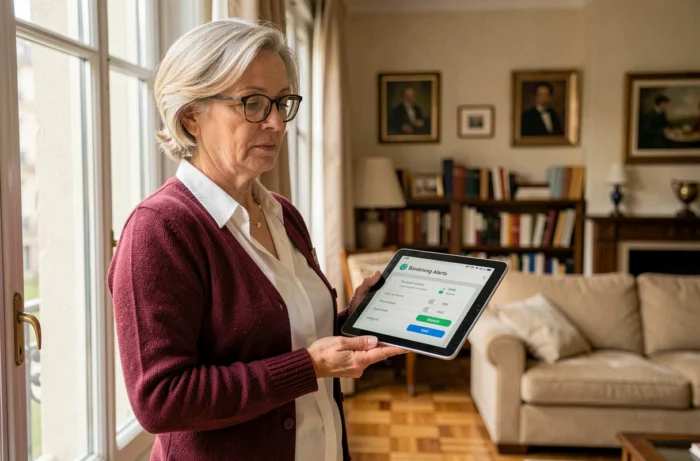
Log into your client area, then go to the “Alerts” or “Notifications” section (the exact wording depends on your branch). Review each line: active channel, amount threshold, type of operation. Disable what you no longer use.
Bank alerts and security: distinguishing a real notification from phishing
The more legitimate alerts you receive, the more you are exposed to the risk of confusing a real message from your bank with a phishing attempt. Fraudsters are increasingly accurately mimicking SMS and emails from Crédit Agricole.
A real alert SMS from Crédit Agricole never contains a clickable link asking you to enter your code or credentials. It informs you of a transaction, period. Any urgent login request via SMS or email is suspicious.
Current phishing campaigns exploit recurring themes:
- Activation or reactivation of SécuriPass with a fraudulent link
- Security alert requesting “immediate verification” of your data
- Update of your client area following a supposed technical overhaul
The most reliable reflex: never click on a link received via email or SMS. Open the Ma Banque app directly or type the address of your regional branch into your browser. If the alert is real, you will find it in your secure messaging (le fil.com).
Carefully setting your alerts has a positive side effect: you know the exact format of your legitimate notifications. A message that deviates from this, in its formatting, sender, or content, immediately becomes suspicious. This is the best defense against smishing and phishing by email.
Setting up alerts is not a one-time task. A change of bank card, a new regular direct debit, or switching to another account package justifies a quick review of your settings in the client area.